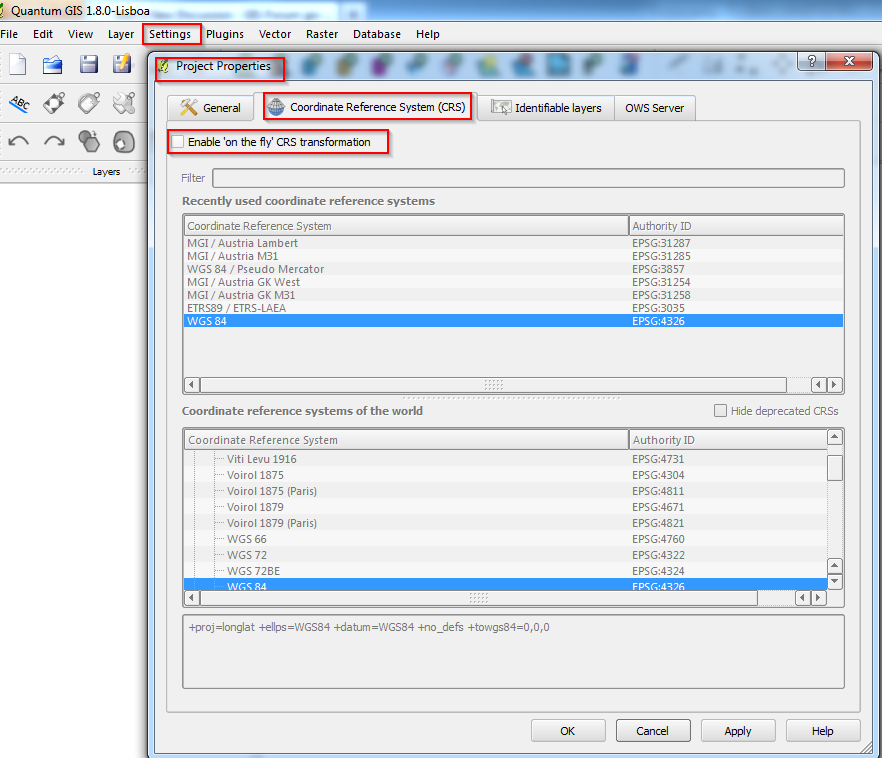
In QGIS 2.0 Dufour CRS-Settings are “hidden” in a new menu (not anymore in “Settings” like in 1.8).
- Menu “Project” – “Project properties”
- You’ll find an entry “CRS” ! Now you can choose your dedicated CRS and activate “on-the-fly” transformation. Using “on-the-fly” be aware of the correct transformation parameters for your CRS.
- The parameters for Austria (see Screenshot) are OK and there is no difference between using ArcGIS 10.x and QGIS 2.0